Help Center > About Notifications

About Notifications

Squarum Knowledge Base Article

Last Updated: January 28, 2026

Overview

  1. Admins and App Owners can automatically receive notifications by email about events in Squarum.
  2. Notification settings are App specific. When creating a new app, all notifications are enabled by default.

How to configure the notifications?

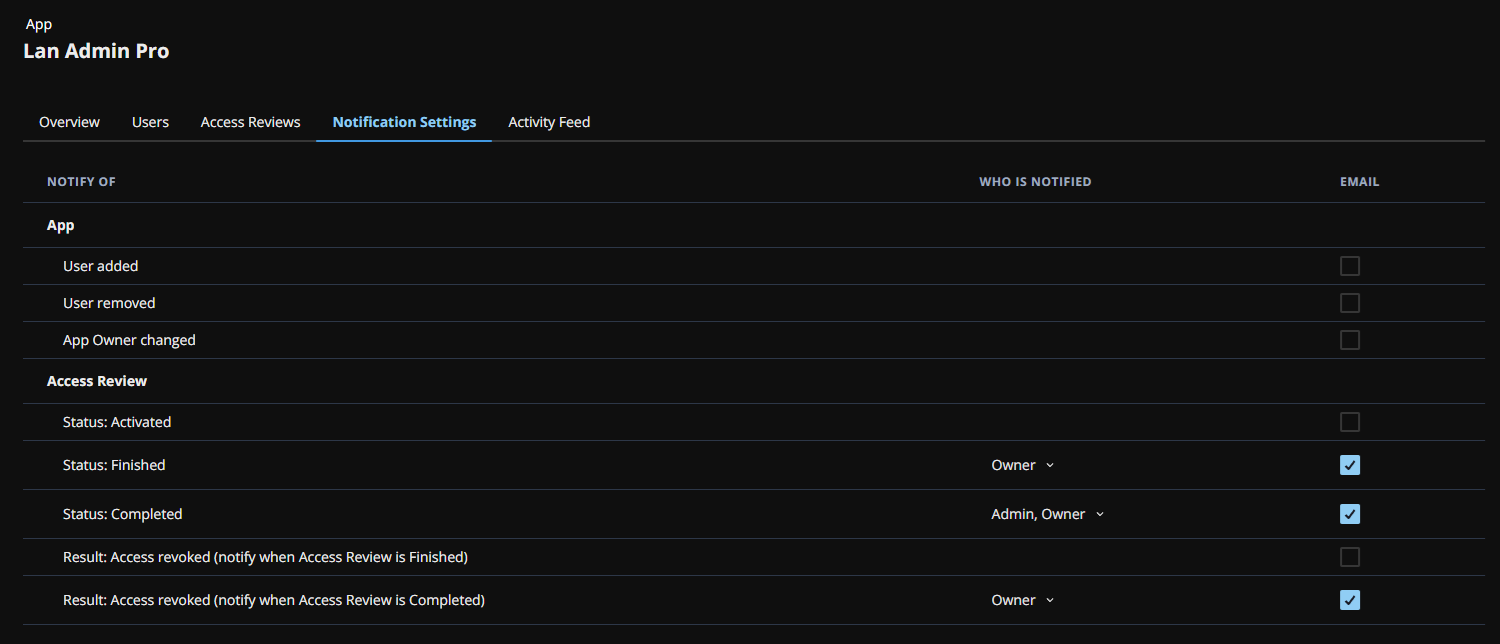
Navigate to the App and to the App Notification Settings tab.

Configuration options:

  • Get notifications of app specific events and access review specific events. Enable or disable the notification in the EMAIL column.
  • Choose who is notified. The options are ‘Admin’ and/or ‘Owner’.
Configure UAR notifications

Have more questions?

Don’t worry, you can always contact us by email. We are more than happy to assist.

support@squarum.com