Help Center > Monitoring an User Access Review

Monitoring an User Access Review

Squarum Knowledge Base Article

Last Updated: January 8, 2026

Overview

  1. Monitoring an User Access Review can be done either from the Admin Console and/or the App Owner Portal.
  2. This article describes what actions are available when an user access review is activated and the review is in progress. 

User Access Review in progress

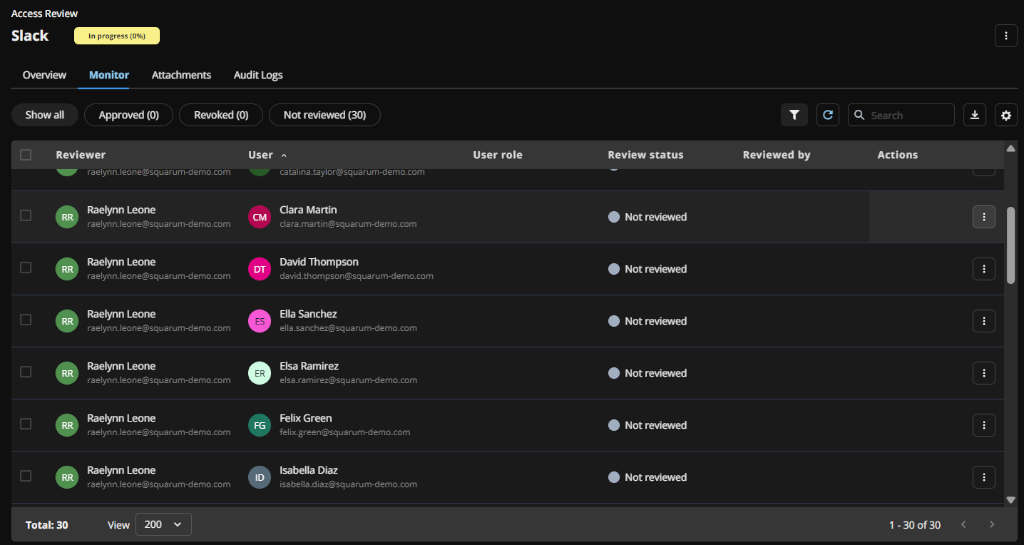
When the User Access Review has been activated, the status is automatically set to ‘In progress’.

Monitoring is mainly done from the Access Review ‘Monitoring’ tab.

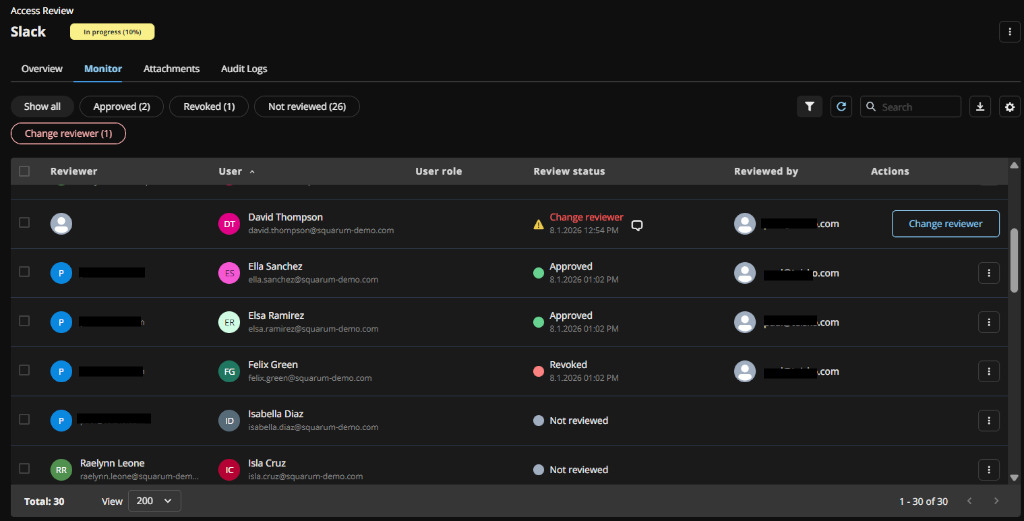
Monitoring an User Access Review

A single user's review statuses

A single user’s review status can be:

  1. Not reviewed: default status when activating the user access review.
  2. Approved: when the Reviewer has clicked the ‘Approve’ button in the Reviewer Portal.
  3. Revoked: when the Reviewer has clicked the ‘Revoke’ button in the Reviewer Portal.
  4. Change reviewer: when the Reviewer has clicked the ‘Change reviewer’ button in the Reviewer Portal.

Actions available for the Admins and App Owners

Following actions can be taken by the admins and app owners related to a single user:

  1. Reset: changes the status of a user’s review status to ‘Not defined’.
  2. Approve: changes the status of a user’s review status to ‘Approved’.
  3. Revoke: changes the status of a user’s review status to ‘Revoked’.
  4. Change reviewer: changes the reviewer for a user and sends an email automatically to the new reviewer. 
Monitoring an user access review - user based actions

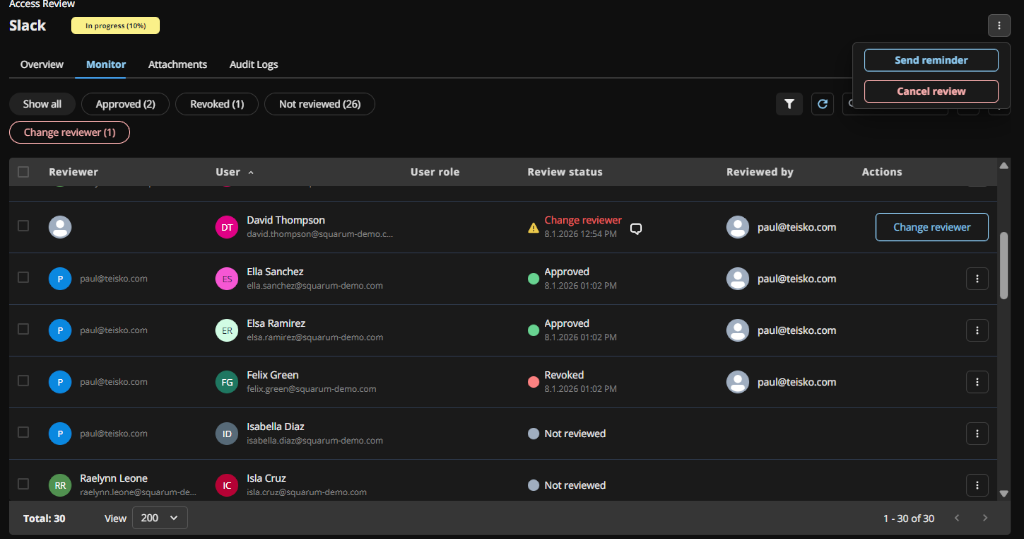
Following actions can be taken by the admins related to the User Access Review:

  1. Send reminder: sends a reminder email to Reviewers.
  2. Cancel review: cancels an User Access Review. Automatically sends an email to reviewers about cancelation. 
Monitoring an user access review - actions available

Finishing an User Access Review

When all Reviewers has reviewed their users, the User Access Review status is automatically changed to ‘Finished’.

Note! If the App Owner or the Admins has approved or revoked users, then the status has to be changed manually to ‘Finished’ from the Admin Console or from the App Owner Console. 

Monitoring an user access review - Finish

When the User Access Review status is ‘Finished’, you may start the corrective actions and prepare for completing the User Access Review. 
Have more questions?

Don’t worry, you can always contact us by email. We are more than happy to assist.

support@squarum.com